Direct mail design: how to lay out a postcard that gets calls
A marketing postcard gets a few seconds between the mailbox and the kitchen. Good direct mail design uses those seconds well: one headline, one photo, one offer, and a phone number that is easy to find. Here is the layout we use, side by side, with the USPS rules for the mailing area and what a printer needs from your file.
The short answer
- Put one big headline, one photo and one offer on the front.
- Put the details, the call to action and the mailing area on the back.
- Make the offer specific, with a number and a deadline.
- Show the phone number on both sides, large.
- Keep the USPS address and barcode areas clear, and keep text away from the edges.
Postcard layout: front and back
This is the layout for a 6 × 11 inch card mailed to a list, the size we recommend for addressed mail. The same layout works for an 8.5 × 11 EDDM® postcard, where the mailing area holds the EDDM® indicia and "Postal Customer" instead of a name and address.
Sketch, not to scale. On the back, the right side is for the mail and the left side is yours.
The front: headline, photo, offer
The headline
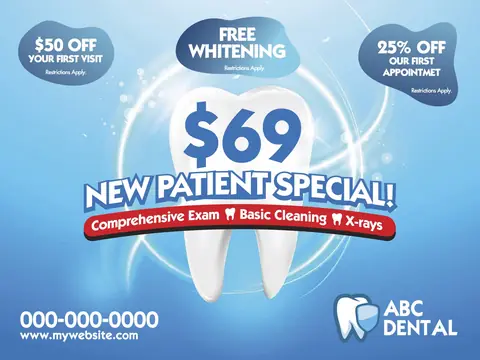
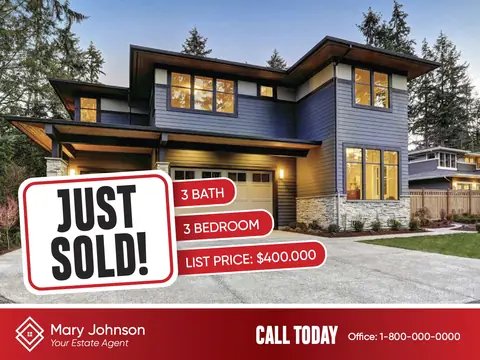
The headline is the largest thing on the card. Say what you do, or name the problem you fix, in about 4 to 8 words: "Clogged drain?", "$69 new patient special", "Just sold on your street". A question works well because people answer it in their head. Skip the company name as a headline; your logo can sit lower on the card.
The photo
Use one large photo, not a collage of small ones. Food, a finished yard, a happy patient or a technician at work tells people what you do before they read a word. Photos of your own team and your own work build more trust than stock images when you have them.
The offer
Give one offer with a number in it: a price, a dollar amount off, a percentage or something free. "$125 spring clean-up" is easier to act on than "affordable landscaping". Add an end date, such as "Offer ends March 31", so people call now instead of someday.

The back: details, call to action, mailing area
Details and proof
The left side of the back is where people look after the front caught them. Use it for a short list of services, a review or two, your years in business, a small map, or what to expect on the first visit. Keep it to a few short lines or bullets.
The call to action
Tell people exactly what to do: "Call 760-000-0000 to book", "Scan to see your home's value". Put the phone number on both sides and make it one of the biggest things on the back. A QR code is useful when it goes to a page that matches the card, not just your home page.
The mailing area
For a card mailed to a list, USPS needs room on the address side for:
- Your return address in the top left corner of the mailing area.
- The postage indicia in the top right corner, the printed box that replaces a stamp.
- The delivery address, printed in the address area on the right side of the card.
- A clear strip at the bottom for the barcode. On letter-size mail such as a 6 × 11 card, the bottom 5/8 inch along the right 4 3/4 inches must be free of any printing so the barcode can be read.
Light backgrounds in the address area read best on the sorting machines. When you print and mail with us, we set up this area for you on every card.
Source: USPS Domestic Mail Manual, section 202 (physical standards for letters and cards), current as of October 2026.
Words that work
- Talk to the reader. "Your yard, ready for summer" beats "We are a full-service landscaping company".
- Use numbers. Prices, years in business, number of reviews and response times are easy to remember.
- Keep sentences short. If a line needs a second read, cut it.
- Add what the law requires. In California, contractors show their license number in ads and real estate agents show their DRE number. Offers need their limits, such as "New customers only".
Colors, fonts and photos
- Two or three colors. Your brand color plus one bright color for the offer is enough.
- Strong contrast. Dark text on a light background, or white text on a dark one. Text over a busy part of a photo is hard to read.
- One or two fonts. A bold font for the headline and a plain one for the rest. Keep the fine print readable, about 8 point at the smallest.
- Sharp photos. Images need about 300 pixels per inch at printed size. A photo that looks fine on a phone can print blurry on an 11 inch card.
Design for EDDM® or for a mailing list?
The front can be the same for both. The differences are on the back and in the size. An addressed card can carry the person's name, and you can even change the offer or the QR code for each address. An EDDM® card goes to every home on a route, so it says "Postal Customer" and has to be a flat size. Our EDDM® vs. addressed direct mail guide helps you choose, and postcard sizes explains the size rules.
Getting the file ready to print
- Bleed: extend backgrounds and photos 0.125 inch past the trim on every side. A 6 × 11 card becomes a 6.25 × 11.25 inch file.
- Safe zone: keep words and logos at least 0.125 inch inside the trim, so nothing is cut off.
- Color: set the file up in CMYK. Bright screen colors can print duller.
- Format: a PDF with fonts embedded, one page for the front and one for the back.
Before you print: a quick check
- Can you tell what the business does from across the room?
- Is there exactly one main offer, with a number and an end date?
- Is the phone number on both sides and easy to find?
- Is the mailing area clear, with nothing printed in the barcode strip?
- Is the license or DRE number on the card, if you need one?
- Did someone else proofread the phone number, website and prices?
Start from a ready-made design
Our postcard design library has 260+ designs already laid out this way, by industry. See 12 direct mail examples for why some of them work so well. We change the photos, colors, offer and text to fit your business when we print and mail for you.
When your design is ready, our postcard mailing services print, address and mail it for you.
Frequently asked questions
What should be on the front of a direct mail postcard?
A large headline that says what you offer, one strong photo, and one offer with a number in it, such as $69 or 20% off. Your logo and phone number can sit at the bottom. Everything else goes on the back.
What goes on the back of a marketing postcard?
Details that support the offer (services, reviews, a map), a clear call to action with your phone number and website, the offer's deadline and fine print, and the mailing area: your return address, the postage indicia and the delivery address, with the bottom strip kept clear for the USPS barcode.
How much text should a postcard have?
Less than you think. Most people decide in a few seconds whether to keep a card, so the front should read in one glance. A headline of about 4 to 8 words and a few short lines on the back is plenty.
Can I design my own postcard?
Yes. Send us a print-ready PDF at the final size with 0.125 inch bleed on every side and we'll check it against the USPS rules before printing. If you don't have a design, we can start from one of our ready-made designs and add your logo, photos and offer.
Do I need a different design for EDDM®?
The front can be the same. The back is different: an EDDM® card has no name or address. It carries the EDDM® indicia and a line such as "Postal Customer" instead, and it has to be a flat size, such as 6.25 × 9, 6.25 × 11 or 8.5 × 11 inches.